BattleZ VR1.0
Publisher Description
You need the RealControl system from Realiteer for the best experience, download for FREE at:
www.realiteer.com/diy
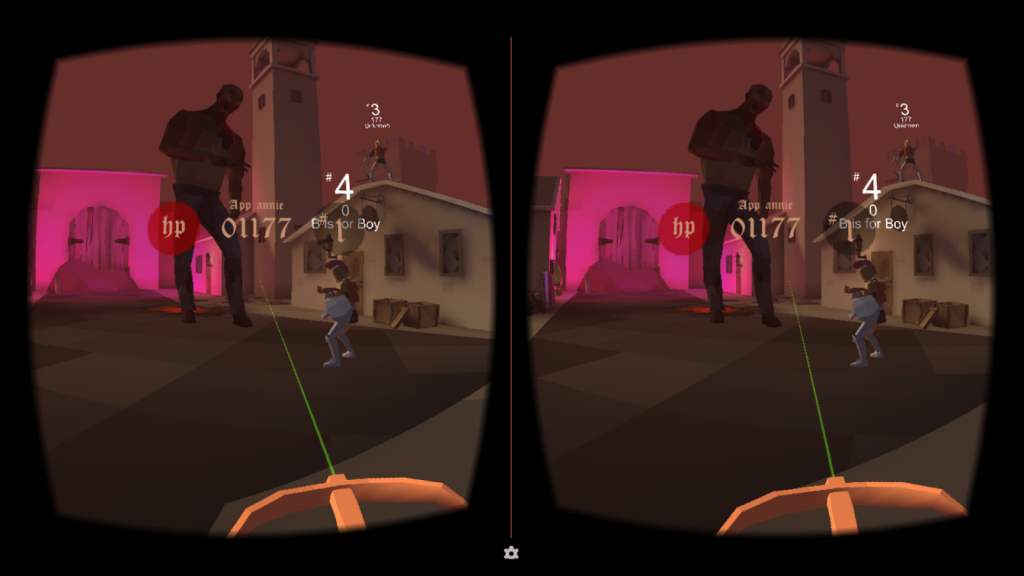
Battle Z is the very first multiplayer First-Person-Shooting game on Google Cardboard and Gear VR. In this game, players team up with their friends to defend their homes in a world overrun by zombies, however, players can also turn their backs on each other to score bonus powers. We don’t want to give away all the details…... but watch out for the dragons!
To fully enjoy this app you'll need a Virtual Reality Viewer and a motion-tracking controller, such as the RealViewer and the RealControl. Learn more and get your own RealViewer and RealController at www.realiteer.com. Share your experience through on Facebook and Twitter community by using #BattleZ.
Keywords:
Virtual Reality Game, Google Cardboard Game, VR
By using this app you agree to be bound by Realitter’s Terms of Service (http://www.realiteer.net/terms-conditions/) Realiteer's general Privacy Policy (http://www.realiteer.net/privacy-policy/), and Realiteer’s copyright Policy (http://www.realiteer.net/copyright-1/).
About BattleZ VR
The company that develops BattleZ VR is Realiteer Corp.. The latest version released by its developer is 1.0. This app was rated by 2 users of our site and has an average rating of 2.8.
To install BattleZ VR on your Android device, just click the green Continue To App button above to start the installation process. The app is listed on our website since 2016-05-11 and was downloaded 223 times. We have already checked if the download link is safe, however for your own protection we recommend that you scan the downloaded app with your antivirus. Your antivirus may detect the BattleZ VR as malware as malware if the download link to com.Realiteer.BattleZVR is broken.
How to install BattleZ VR on your Android device:
- Click on the Continue To App button on our website. This will redirect you to Google Play.
- Once the BattleZ VR is shown in the Google Play listing of your Android device, you can start its download and installation. Tap on the Install button located below the search bar and to the right of the app icon.
- A pop-up window with the permissions required by BattleZ VR will be shown. Click on Accept to continue the process.
- BattleZ VR will be downloaded onto your device, displaying a progress. Once the download completes, the installation will start and you'll get a notification after the installation is finished.
